
JO JDownloads Time Limit Plugin is designed to enhance the functionality of the popular JDownloads extension. This plugin introduces time-based restrictions for file downloads, ensuring that access to sensitive or premium content is controlled and temporary. By setting a validity duration for passwords, administrators can enforce stricter download policies, improving security and compliance.
Key Features
★ Time-Based Password Validity:
Set a custom validity duration (in minutes) for download passwords.
Automatically reset passwords after the specified time limit, ensuring controlled access to files.
★ Single or Multiple File ID Support:
Apply time limits to specific files by specifying their IDs in the plugin parameters.
★ Dynamic Password Generation:
Automatically generate random, secure passwords for each file when the validity period resets.
★ Seamless Integration with JDownloads:
Works directly with the JDownloads component to enforce time limits without additional configuration.
How to Use:
- Install and enable the plugin.
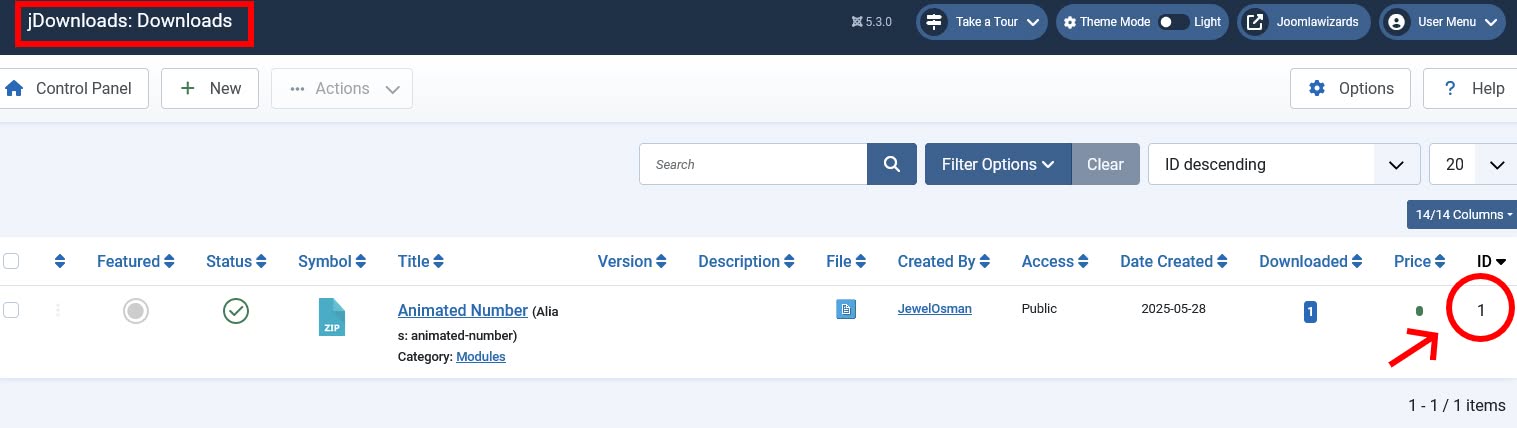
- Obtain the File ID from jDownloads → Downloads.
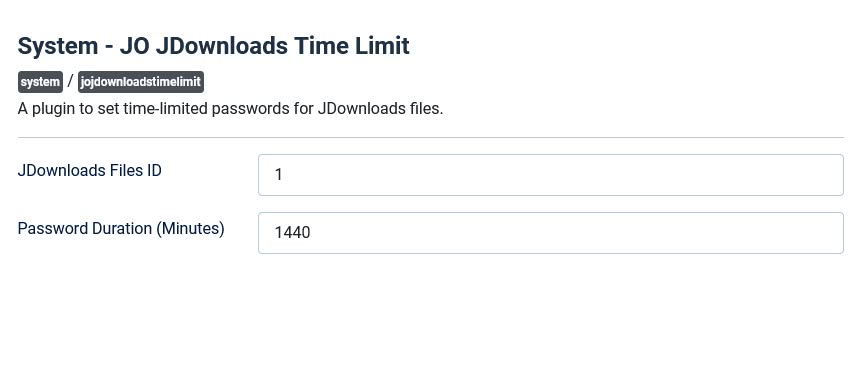
- In the plugin configuration, set the File ID and Password Duration. Save and Close.
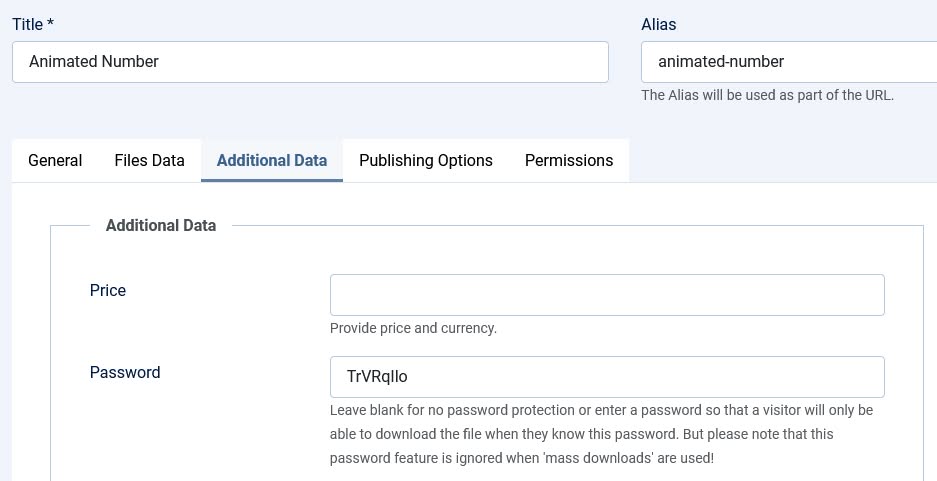
- Retrieve the download password from jDownloads → Downloads → Open the file → Additional Data → Password.
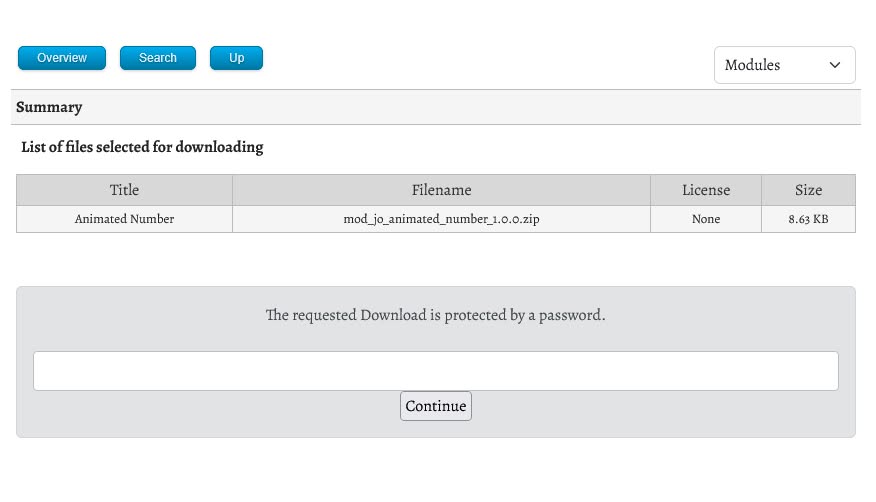
- Share the download link and the password. After the specified Password Duration, the password will change automatically.